

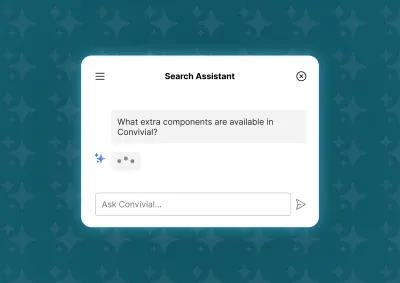
The Drupal AI module provides everything needed for a RAG chatbot. We cover the setup that government sites need to get right.
Search that finds the right thing, not just a matching word
On sites with thousands of publications, forms, and fact sheets, browsing isn't practical, and search has to do the work. The technology matters, but so does what sits underneath it: your content, your categories, and what's indexed.
For the Attorney-General's Department, people used Google to find documents on the site, so we built nine publication libraries with faceted search, one for each site section. For the TGA, we built 31 contextual faceted searches on top of the main site search, and a page for each of more than 95,000 registered goods.
What you get:
- Documents people can find. Filters by topic, type, location, or date help people narrow results quickly.
- Results that reflect what matters. Boosting puts key pages and resources first.
- Search that fits your structure. It's planned alongside your content model, not added at the end.
Our approach to search
Start with what people search for
We identify the specific search needs of your audiences and match them to a solution, using your site's search terms and user research.
Prepare your content and structure
Search is only as good as what it searches. Your site needs the right content, with the right keywords given the right prominence. Filters work best when categories don't overlap and together cover everything, so we design the content model with that in mind.
Index the right things
We index everything relevant on the page, including content inside components and metadata, because what a search engine sees isn't always what a user sees. We also exclude content that doesn't belong in results, such as whole content types or individual pages. A key phrases field lets editors add keywords when a page is about something its text doesn't say.
Add the features people expect
Autocomplete, synonyms, and forgiveness for typos, plus boosting for key content types. For the National Office for Child Safety, we added Solr search with boosting and a key phrases field.
Choose the right engine
Drupal's Search API is a framework that can use Apache Solr, a highly scalable search engine with strong full-text and filtering. If you want a Drupal-based solution, it's the most reliable option. For search that matches meaning rather than exact keywords, see our AI service.
Frequently asked questions
Drupal supports enterprise search through Apache Solr, with full-text search, filters by category, content boosting, file indexing, date-based relevance, and autocomplete. We add improvements such as adjusting results to the user's context and removing false matches. For complex government sites with large volumes of content, well-configured search is often the single highest-impact improvement in user satisfaction.
Basic search handles simple keyword matching well. Large repositories of publications, forms, and fact sheets usually need filters, relevance tuning, and synonym and typo handling to be usable. That's where a dedicated engine such as Apache Solr earns its cost.
Faceted search lets people narrow results with filters such as topic, document type, location, or date, like the filters in an online shop. It works best when your content is categorised consistently.
Search is often the safety net for weak navigation. When people can't find something through the menu, they turn to search, and strong faceted search can partly make up for an imperfect structure. The two should be designed together, not one as an afterthought.
Yes. AI-assisted search, which matches meaning rather than exact keywords, can improve findability on content-heavy sites where people don't use the same words as authors. It needs the same accuracy and governance scrutiny as any other AI feature on a government site. See our AI service.
Case studies

Case study
AFSA partnered with Morpht to deliver critical digital and accessibility upgrades across its main websites. This award-winning collaboration transformed the user experience, achieving WCAG compliance and establishing a robust, scalable technical foundation for the future.

Case study
Morpht supported the Department of Health and Aged Care with a contemporary new website for World AIDS Day, in record time for World AIDS Day 2023. Providing a contemporary look and feel with improved content models and site search.

Case study
Morpht was able to provide IPEA with a new website on the GovCMS SaaS platform, upgraded to Drupal 9 and allow site editors to import all reporting data without the need of external help. The site also has a greatly improved page speed and a new design and interface which maximises the findability of Parliamentarian expense reports.

Case study
The TGA are now celebrating a brand new site on GovCMS. With a contemporary look and feel underpinned by consistent structures and familiar patterns, this site is now the foundation for the next stage of the digital transformation the TGA is undergoing.
Latest insights

Article
In a previous post, we looked at how search can be improved through the use of a confusion matrix and the removal of false positives. This article takes the thought process a step further by looking at how context or “regimes” can be used to further improve results.

Article
Site owners and users naturally want the best, most relevant search results to be delivered to them. This article provides a framework for the evaluation of search results and offers suggestions on how results can be improved.
Article
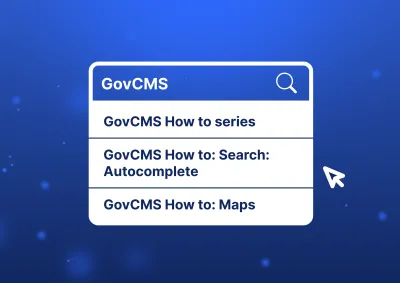
A guide to setting up search autocomplete on a GovCMS SaaS website.