


Explore the inner workings of the AI Chatbot module to customise the chat experience via hooks.
Your design, working the way your editors need
The theming layer is where structure, content, and design come together. Our frontend developers build on the work of architects, content designers, designers, and site builders to produce a site that's attractive, coherent, and consistent.
We build reusable components and give editors the design options, so they can create pages without a developer and without breaking the design.
What you get:
- A faithful implementation. The site looks and behaves as designed, on desktop, tablet, and mobile.
- Editors with the right tools. Components with built-in options for layout and style.
- Accessibility from the start. Semantic markup, keyboard navigation, focus states, and colour contrast handled in the build.
Our approach to frontend development
Build from components
We build pages from reusable units of functionality, data, and presentation. Design becomes about structure, state, interaction, and presentation, not only appearance.
Give editors the controls
We expose the design's features to editors, so they can choose layouts, palettes, and options without touching code.
Keep accessibility in the build
Semantic markup, keyboard navigation, focus states, and colour contrast are frontend decisions. We review designs before the build and test by keyboard afterwards.
Decouple only where it helps
We use a partially decoupled approach. Drupal's permissions, templates, rendering, and caching do the heavy lifting, and frameworks such as React or Handlebars add interactivity to individual components where it makes sense.
Build the complex parts too
Our team includes backend and frontend developers, so we can deliver demanding applications such as mapping tools and decision trees, and the decoupled personalisation features in Convivial.
Frequently asked questions
It's translating designs, including wireframes, visual design, and component libraries, into the themed, responsive, accessible frontend of a Drupal site. Component-based theming lets editors reuse consistent, tested components rather than one-off page designs.
Frontend work is where accessibility succeeds or quietly fails. Semantic markup, keyboard navigation, focus states, and colour contrast are all frontend decisions. That's why we review designs and wireframes before the build and test by keyboard afterwards.
Yes. Drupal Canvas and no-code page building are only as good as the components a frontend team builds for editors. No-code authoring doesn't remove the need for skilled frontend engineering. It changes what that engineering produces: reusable, governed components instead of bespoke pages.
Component-based building means constructing a site from a small library of reusable, configurable building blocks (heroes, cards, accordions, forms) that editors assemble into pages, rather than developers hand-coding each page's layout individually. It shifts effort from repetitive template-building to designing a good component library once, then reusing it everywhere.
Yes, that's the point of component-based building done well. Tools like Drupal's Layout Builder, combined with a well-designed component library, let editors build and update pages by choosing and arranging existing components, without needing a developer for routine content changes.
Not if the component library is built with enough configurable variants (light/dark, different layouts, optional elements) from the start. The trade-off is between having genuinely unlimited one-off design freedom on every page (slow, expensive, inconsistent) and a well-designed set of flexible, reusable components (fast, consistent, still visually distinctive). Most organisations get more value from the latter.
Case studies

Case study
Morpht rebuilt the Reef Guardian School site on GovCMS SaaS, introducing a secure teacher resource library, topic-based content structure, and streamlined webforms for schools to submit action plans and news.
Case study
The CGC website is based on Convivial for GovCMS and includes document containers and file collections; as well as an interactive map of Australia.

Case study
The NSW Food Authority engaged Morpht to redevelop and refresh the design of its website and migrate the content from TRIM WCMS to GovCMS.

Case study
Morpht redesigned and uplifted The Australian Air Force Cadets website (GovCMS SaaS) with a new look and functionality.
Latest insights
Article
A review of the different ways dynamic PDFs can be generated in PHP and JavaScript. Each has its own set of pros and cons.
Article
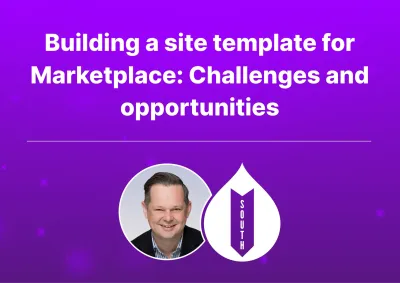
The Drupal marketplace is driving a shift toward high-quality, accessible, and easily maintainable templates tailored for specific industry verticals (like government, healthcare, and education).

Article
The Morpht team is presenting at the upcoming DrupalSouth conference being held in May.