

We have reworked the Convivial Profiler into something considerably stronger. The new engine, Convivial Personalisation, builds a much richer profile of each visitor, and that profile is good enough to do two things the old one could not: drive content recommendations, and personalise parts of a page with real nuance rather than a single "top audience". Previously we leaned on a hosted recommender service for the recommendations side. We no longer need to, and I want to explain why we made the change and how the new approach works.
A handful of things drove the change:
- Privacy. Our clients are government agencies. Every conversation about recommendations eventually turned to the question of where visitor behaviour goes. With a hosted service, the honest answer is "to a third party". I wanted the answer to be "nowhere": the data never leaves the browser.
- A better profile. The old Convivial Profiler kept simple counters per topic and audience and picked the top one. For example, the “top topic” and “top audience” could drive the next best step for a CTA or a list of tasks. We wanted something that could weigh many signals at once, including the words on a page, and that could tell the difference between what you are doing today and what you care about over months.
- Ranking as a first-class tool. Once you have a proper profile, the natural thing is to take any list of content and rank it against the visitor. That one function covers most of what we were getting from an external recommender, and it serves the rest of the page just as well.
- No third-party service. No subscription, no API, no vendor onboarding, no data-sharing agreement to negotiate. One less thing on the procurement list and one less dependency we do not control. The privacy conversation becomes a lot simpler when no user data leaves the browser, and no personal information is collected.
- Drupal at the centre. The personalised content is Drupal content. Candidates come from Views, tagging comes from the taxonomies editors already use, and the result renders through the same templates as everything else. Nothing is copied out to a separate system. Removing the need for a third-party content server drastically simplifies the system in terms of architecture and costs.
- Room to customise. Site builders get real levers: which fields count and how much, how fast interests fade, which profile a block uses, how editorial order blends with relevance, what gets excluded, and how the block explains itself. Out-of-the-box, the system comes with sensible defaults, but there is a lot of room to tweak how the results are built and ranked.
Here is how it fits together.
The page describes itself
Every Convivial page already carries a description of itself in its metadata: the title, the summary, and the topics, audiences, intents and stages that editors tag it with. That was true before this work. The difference is that we now treat that description as the raw material for the visitor's profile, so good tagging has become more valuable than ever. There is nothing new for editors to do. The full page content and metadata are now absorbed into the user profile so that we can build a richer view of the user that extends beyond taxonomy terms.
Building the profile
As a visitor moves through the site, the engine folds each page's terms and words into a compact numerical profile stored in the browser. Under the hood, it is feature hashing: every term and word is sent to a slot in a fixed-size vector, weighted by how much we trust that field (a topic term counts for more than a word in the summary), and the result is normalised. The same recipe runs on every page and on every candidate item, so the two sides can always be compared.
This approach to hashing is simple compared to other, heavier approaches such as using LLMs to extract vectors and a remote vector database to store them. The hashing approach is cheap and fast and gets us most of the way there with no extra overhead. Our use of unique keys for taxonomy terms strengthens the hash so that it is still able to track concepts as well as strings. This approach keeps the profile local, the download small, and the calculation fast.
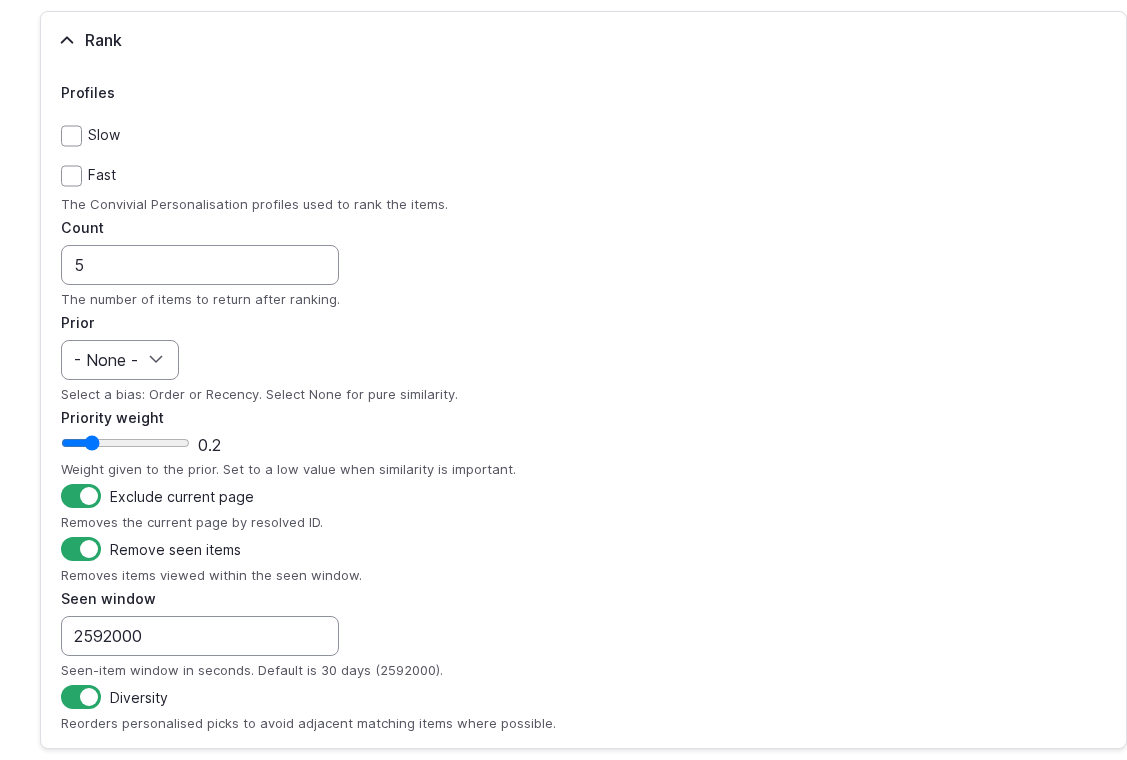
We keep two profiles rather than one. A fast profile reflects the current visit and fades within about a day. This is great for promotions and CTAs where we may want to match on intent or a campaign. A slow profile remembers interests across months. This can be used for key resources or relevant articles. Someone who normally reads about procurement but is researching accessibility this morning is represented by both, and a block can choose which one to listen to. The old profiler's counters still exist for the things they are good at, such as picking an audience for analytics, but recommendations no longer depend on them.
I like that there is no model to train and no black box. The maths is a dot product. It is predictable, it is testable, and when a result looks odd, you can see exactly why.
Ranking
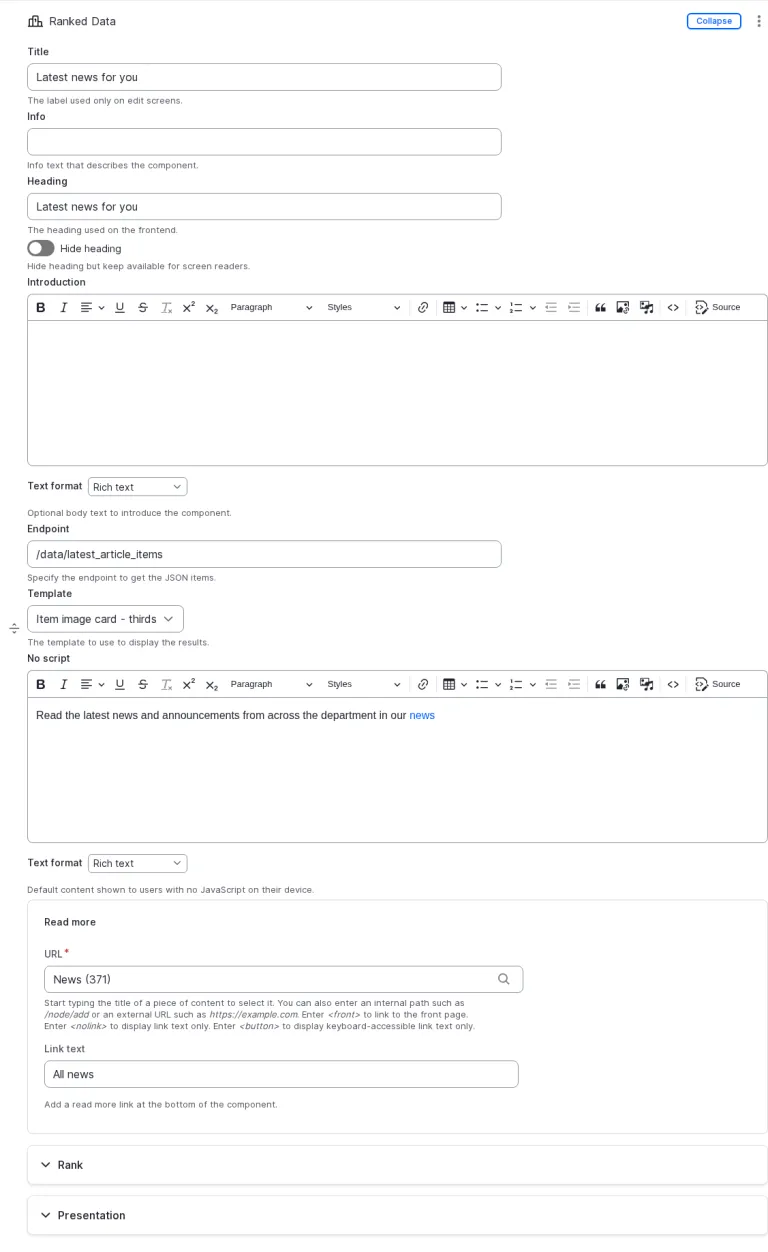
A recommendation block does three things. It fetches a list of candidates from a Drupal View, which could be the latest news, the key resources in a section, or the services across the whole site. It hands that list to a rank() function in the browser with the profiles it wants to use and how many items it needs. And it renders what comes back.
In between, rank() scores every candidate against the profiles, drops the current page and anything the visitor has already seen, applies any suppressions (an intent that has been satisfied, a campaign that is over), blends in editorial priority or recency if you want it, avoids putting two near-identical items side by side, and fills any empty slots from the list's own order so a block never renders empty. The result is the ranked items plus a little metadata about which profile picked what.
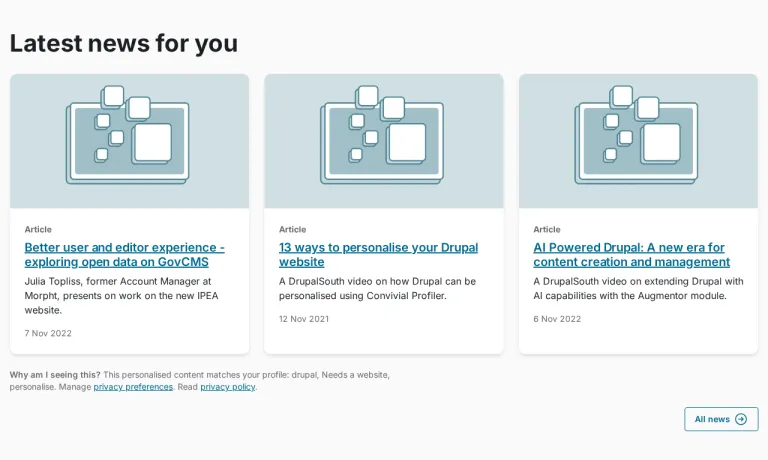
Because it is just a function over a list, any listing can become a recommendation. The blocks we ship as paragraphs in Convivial are "top picks for you", "latest for you", "related to this item and you", "top tasks for you" and a promotional call to action driven by the fast profile, but site builders can point the same machinery at any View.
Aggregating and ranking
We have extended the ranking concept beyond content that is served from the site. We have built out an “Aggregation” component that can take feeds from a number of sites, normalise them, combine, sort and then finally rank. The end result is that content can be pulled in from a number of sources and then ranked according to the user profile. This kind of functionality is suitable for a government department with server sub-agencies, or perhaps a site that wants to aggregate across different parts of government. You can think of it as a lightweight, decentralised content as an API, with personalisation added on top.
Explaining the result
The piece I am most pleased with is the explanation. Every ranked block also returns a short why: the handful of terms that carried the most weight in the match across the block as a whole. It is computed by taking the same similarity score that ranked the items apart term by term, so it is a true account of the decision rather than a guess made afterwards.
The terms are shown using the labels from your own vocabularies, so a block can say something like "Because you've been reading about Personalisation and Artificial intelligence for Editors". For a feed that has no tags at all, say an RSS list with only titles and summaries, the explanation falls back to the words the items share with the visitor's interests. The Handlebars template decides how to phrase it.
I think this matters. People are more comfortable with personalisation when the site shows its working, and editors can see what the engine is responding to and fix the tagging if it is responding to the wrong thing.
Privacy
The profile lives in the browser's local storage and never leaves it. There is no account, no client identifier, no tracking cookie and nothing sent to our servers or anyone else's. Clear the browser and the profile is gone.
Consent is built in rather than bolted on. A site can run opt-out or opt-in to suit its policy; a visitor who declines simply gets the unpersonalised site, and browsers that send the Global Privacy Control signal are treated as having declined. Cookies are off unless a site turns them on. A visitor can be shown exactly what the site has inferred about them and can erase it.
For a government site, this changes the shape of the conversation. There is no new data flow to put through a privacy impact assessment, no vendor to assess and no behavioural dataset to secure. The personalisation happens on the visitor's own device, with their own data, under their control.
Customising it
All of this is configured in the same JSON that drives the rest of Convivial Personalisation. The profile block says which fields contribute and how much, which fields are free text, what to stop-word or treat as synonyms, and what to exclude from learning altogether, such as sensitive content types. Each profile has its own decay. Each block chooses its profiles, its count, its prior (list order, recency or editorial weight), its diversity rule, and whether to explain itself. The whole thing is deliberately small enough that a site builder can read the configuration and understand what the site will do.
What is next
We are rolling this through the Convivial for GovCMS components now, starting with the recommendation paragraphs. If you are running Convivial and want to see it on your own content, or you are curious about how the approach would translate to a site that is not Convivial, get in touch. I am happy to walk through it.