


A guide to incorporating business intelligence visualisations into a GovCMS SaaS website.
Maps that help people find what's near them
Location data is visual and structured, which makes it a natural fit for the web. We've built mapping tools that help people find services and locations near them and choose what suits their needs.
We start with the data, so the map stays accurate, fast, and easy to maintain.
What you get:
- Answers that depend on location. People search by suburb or state and see what's relevant.
- Speed. A fast, dynamic map that people can explore and then drill into.
- Access for everyone. Keyboard use and non-visual alternatives, so the map isn't for mouse users only.
Our approach to maps
Design the data first
We design a data structure that supports the map's requirements. An address field collects the data, and geocoding converts addresses into locations.
Choose the right mapping engine
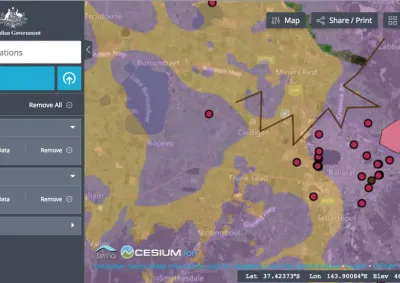
We use Google Maps or Leaflet to display the data, depending on your needs. Convivial for GovCMS includes Map and GeoChart components, plus a National Map component.
Build a dynamic front end
Data services such as JSON:API pass the data to a front end built with ReactJS. Users can search, filter, and drill into detail.
Make it accessible
Interactive maps need keyboard navigation and non-visual alternatives, such as an accessible data table or search. Otherwise, they can't meet WCAG AA.
Keep the data current
Where possible, we link the map to the system that holds the data, so it always shows current information.
Examples of maps we've built
- Squadron finder for the Australian Air Force Cadets: type your suburb, see the nearest squadrons, and register your interest. The record for each squadron updates from the Cadets' internal systems.
- Shellfish harvest area alerts for the NSW Food Authority: users filter and search a data feed for their harvest area.
- Map of Schools for Reef Guardian School: Worldwide map os school's that participate in the Great Barrier Reef Marine Park Authority's program.
- Events map for World AIDS Day: visitors filter events by state.
- National Map component for GovCMS: brings National Map data into a site.
- Service search for a state health department and organisation lookup for a federal agency.
Frequently asked questions
Yes. We build mapping solutions with ReactJS and engines including Leaflet for GeoJSON data and Google Maps-based GeoCharts. Convivial for GovCMS includes Map and GeoChart components. We've built maps for government agencies that display service locations, environmental data, regional statistics, and spatial information in an accessible, responsive format.
Purpose-built mapping matters when the map is core functionality, not decoration: service finders, spatial data, or tools where accessibility, consistent styling, flexible data sources, or privacy matter more than an embed can offer. Some providers embed third-party tracking, which is a privacy concern.
Yes. Drupal's integration flexibility extends to connecting with spatial/GIS data sources and APIs, which is common in government use cases like environmental, planning or emergency-service mapping tools.
Yes. This is often overlooked; interactive maps need keyboard navigability and non-visual alternatives (e.g. accessible data tables or search-based alternatives to a purely visual map) to meet WCAG AA, since a map that's only usable by mouse/touch fails accessibility requirements regardless of how good it looks.
Yes. A simple map solution is possible on GovCMS SaaS, and Convivial for GovCMS includes map components. More complex tools, such as those that pull from external systems, may suit PaaS.
Case studies

Case study
Morpht rebuilt the Reef Guardian School site on GovCMS SaaS, introducing a secure teacher resource library, topic-based content structure, and streamlined webforms for schools to submit action plans and news.

Case study
Morpht supported the Department of Health and Aged Care with a contemporary new website for World AIDS Day, in record time for World AIDS Day 2023. Providing a contemporary look and feel with improved content models and site search.

Case study
Morpht redesigned and uplifted The Australian Air Force Cadets website (GovCMS SaaS) with a new look and functionality.

Case study
In this case study, find out how Morpht integrated CRM, Google Maps, Customer Portal and Drupal to deliver a seamless user experience for the customer and editor alike.
Latest insights


Article
Unlock geo personalisation features for your Drupal site by using Cloudflare workers to augment the request with geodata.
Article
NationalMap has been added as a component to the Convivial starter site for GovCMS and GovCMS8.