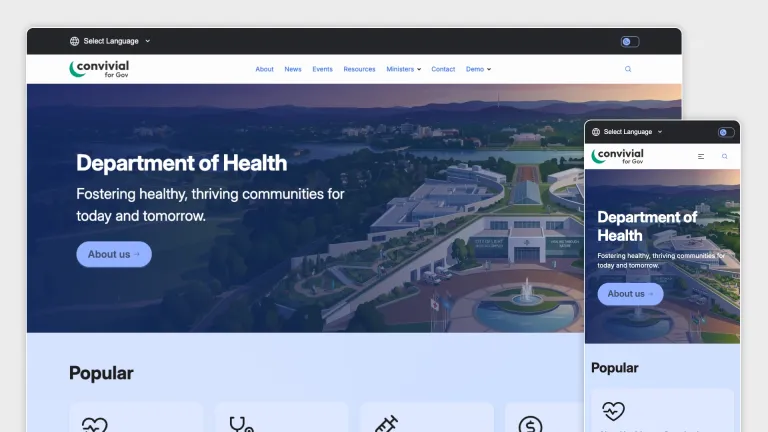

Morpht is proud to be among the agencies leading the way on the Drupal Marketplace, offering our Convivial Gov template to help organisations kickstart their Drupal journey. Convivial Gov combines a Canvas based drag-and-drop visual builder with a robust library of pre-built components. It provides a flexible foundation for organisations to launch accessible, high-quality Drupal sites while maintaining full control over design and content.
Designed with government in mind, but flexible enough for any sector, Convivial Gov provides a powerful foundation for building modern, scalable websites quickly. It is well-suited to a wide range of use cases, including publishing platforms, marketing sites, and agency websites.
A smarter way to build with Drupal Canvas
At the core of Convivial Gov is Drupal Canvas, a modern visual page builder that makes creating rich digital experiences far more accessible.
Canvas introduces a drag-and-drop interface with reusable components, allowing editors to build pages without deep technical knowledge. As part of Drupal’s Starshot initiative, it represents a major step forward in making Drupal more competitive with platforms like WordPress, Webflow, and Squarespace.
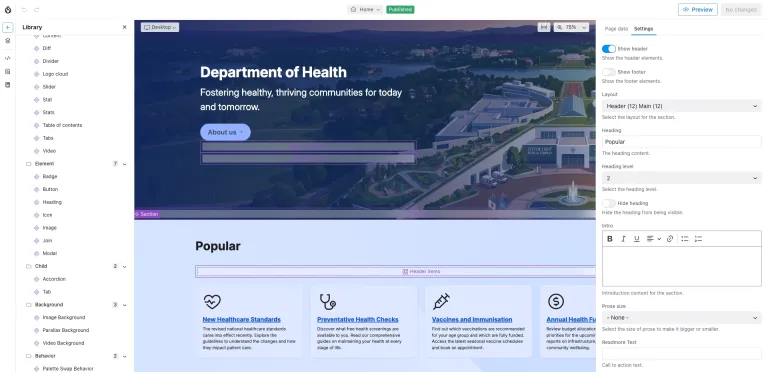
Convivial Gov builds on this with a comprehensive library of pre-built components that make page creation intuitive and flexible from day one.
Under the hood, the template is built on the latest Drupal innovations, including Single Directory Components and Recipes. This modern architecture supports scalable, maintainable builds and helps teams move faster while keeping codebases clean and consistent.
Flexible page building with powerful components
Pages are built using a combination of component types, giving editors full control over layout and content.
Layout and structure
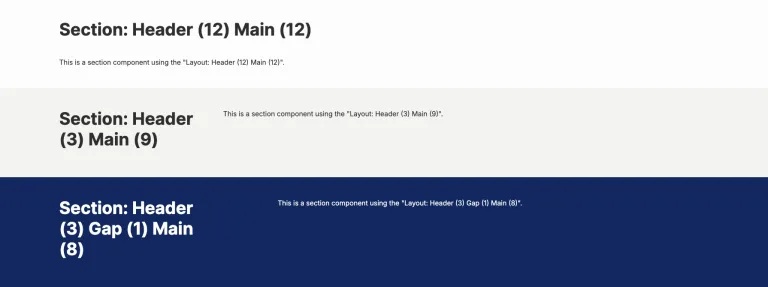
Container components such as banners, grids, groups, heroes, layouts, and sections allow you to shape pages to suit almost any design requirement.
Content presentation
Display components like cards, teasers, tiles, and summaries help showcase content in engaging and visually consistent ways.
Rich content elements
From accordions and tabs to sliders, stats, and videos, content components support a wide range of use cases.
Interface elements
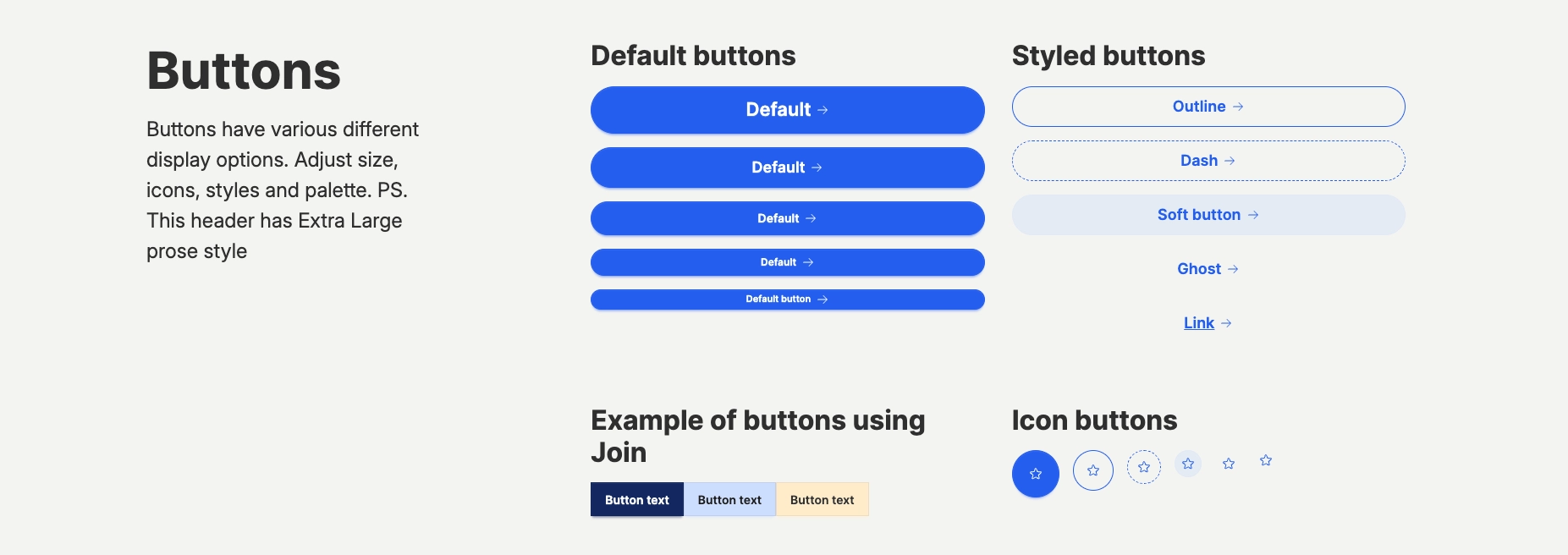
Buttons, headings, badges, icons, and modals help guide users and create clear calls to action.
Together, these tools give site builders the ability to create flexible, functional, and visually engaging websites without needing to write code.
Bring pages to life with backgrounds and behaviour
Convivial Gov goes beyond static layouts and gives editors tools to create more dynamic and engaging experiences.
Background options
Apply image, parallax, or video backgrounds to add depth and visual interest across your pages.
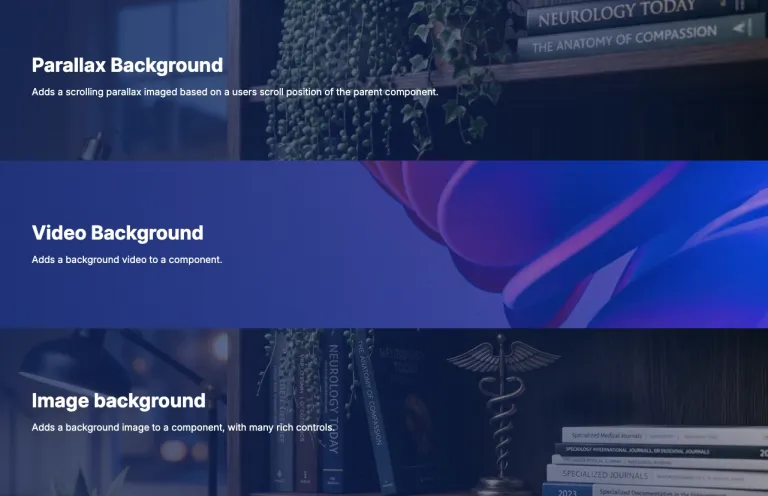
Interactive behaviours
Enhance user engagement with features like scroll reveal animations and palette swapping, where colour themes transition as users move through the page.
Total control over your site’s appearance
One of the standout features of Convivial Gov is its powerful theme UI, giving you full control over your site’s visual identity without needing to write code.
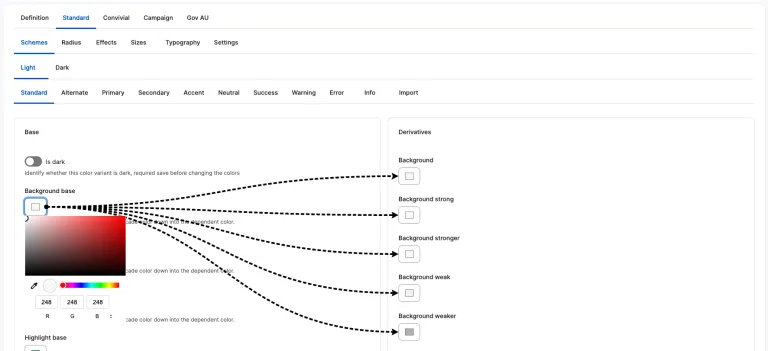
The frontend layer is powered by Tailwind CSS, with DaisyUI providing a semantic structure for styling. This approach allows for rapid theming while maintaining consistency across components.
Skins for every scenario
Create and apply unlimited skins to different parts of your site. This works well for campaigns or landing pages that need a distinct look and feel while still sitting within your broader platform.
Each skin includes both light and dark modes, with automatic detection based on user preferences and the option to toggle manually.
Built for accessible, consistent design
Convivial Gov helps ensure your design system remains consistent and accessible across the entire site, while also supporting patterns aligned with common government requirements.
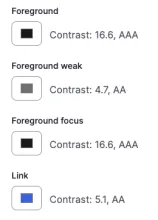
Define multiple palettes, including standard, primary, secondary, neutral, and more, all backed by CSS variables applied across components. Built-in contrast checking helps ensure compliance with WCAG 2.2 Level AA standards.
Typography
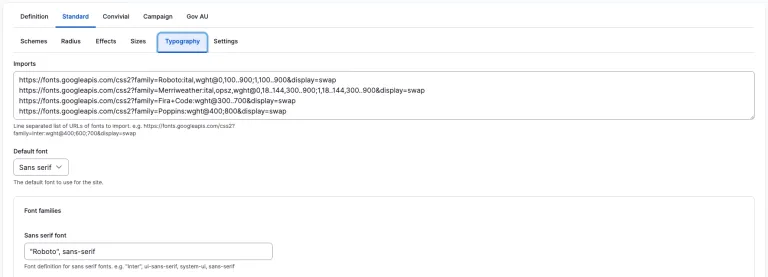
Set global font families, sizes, and display styles to create hierarchy and visual impact, especially for hero content.
Design controls
Fine-tune details like border radius, spacing, field sizes, and visual effects such as depth and noise directly within the theme UI.
Content types
Convivial Gov has various content types to help build out content quickly and easily with defined fields for that specific type of content. These content types are designed to keep the content consistent and familiar for users visiting the site. They do not use Drupal Canvas.
- Alert: Use Alert for displaying time sensitive dismissible alerts.
- Article: Use Article for publishing time based information.
- Audience: Use Audience to categorise content.
- Event: Use Event to reach your target audience.
- Page: Use Page for building site structure and static content.
- Person: Use Person for authors or staff.
- Resource: Use Resource for evergreen information.
- Section: Use Section for landing pages.
- Topic: Use Topic to categorise content.
All content types except for Page and Section have Views set up on landing pages for the content to automatically display when published.
Built to scale, ready to go
Convivial Gov is not just a template. It is a complete foundation for building flexible, accessible, and visually engaging Drupal websites.
Whether you are launching quickly or building something highly customised, it provides the tools to move faster without compromising on quality.