

GovCMS SaaS is primarily known for its security, procurement processes, scalability and cost effectiveness. On the flip side, it is also known for being restricted in the functionality it is able to provide due to the limited set of modules it provides. With some creative thinking, it is possible to extend what is normally done with the platform. This article provides a recipe for building a lightweight membership site where users are able to gain access to private, protected content.
A bit of history
From the early days, GovCMS provided the ability to provide a logged-in experience for non-editorial users. The core functionality of users registering and then having the application moderated was always available. However, the platform has never made it easy to provide fine-grained access control for different user roles.
Earlier versions did provide the Permissions by Term module for simple permissions; however, this module never played nicely with content moderation, making it a non-starter if the moderation of content was needed. Site builders were left with no clear path forward for providing granular access to the content for logged-in users.
The platform has also added TFA as a hard requirement in recent years. This makes the site more secure to handle government requirements. However, it does make authentication one step harder for users wishing to log in. Any membership sites would need to require that all members also accept TFA. This might be a problem for some users.
With all of this in mind, it may seem that a membership site was not possible on GoVCMS SaaS. Is a PaaS environment required? No. It is possible to build a membership-based site in SaaS with a bit of creative thinking. Let's take a look at the various parts of a membership recipe.
Recipe
Managing expectations
The solution developed on SaaS will not necessarily be a complete, sophisticated solution. There are still basic limitations around access control and managing permissions on a per-node level. A PaaS solution will be superior. However, if the limitations are acceptable, SaaS does offer a way forward.
User registration
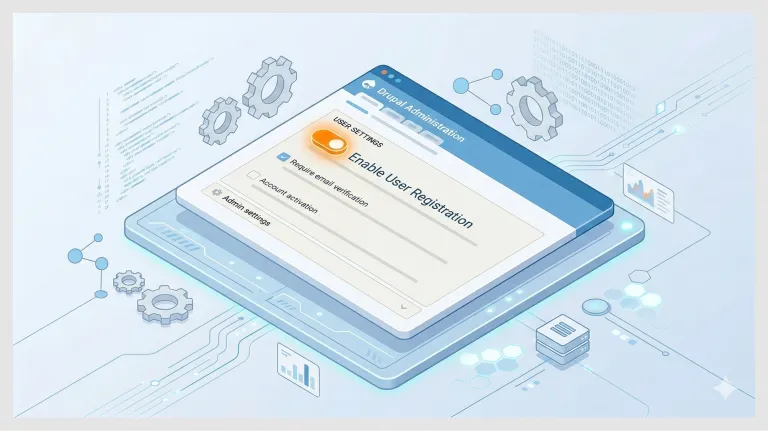
Drupal can be configured to allow for user registration. Turning this option on is quite straightforward. Once done, it is important to protect the registration form with a CAPTCHA. It is also important for an administrator or other manager to review the submission. Make sure you have this workflow thought through.
User properties
You will likely want to collect some basic information from your users. Perhaps you wish to collect their interests for some content personalisation. Thought should be given to whether the data is private or sensitive. If you think that it might be, you should conduct a Privacy Impact Assessment. Once the properties have been defined, they can be added as fields on the user entity.
Member role
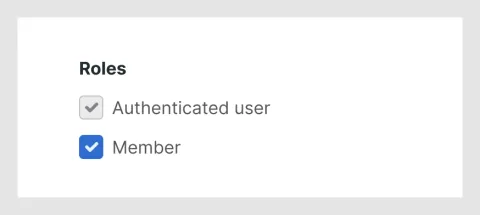
The most basic setup revolves around a single “Member” role. When the moderator accepts the user registration, they are able to assign the user to the Member role. This will distinguish the user from other authenticated users (editors, etc) and will open up access to other parts of the system.
Registration form
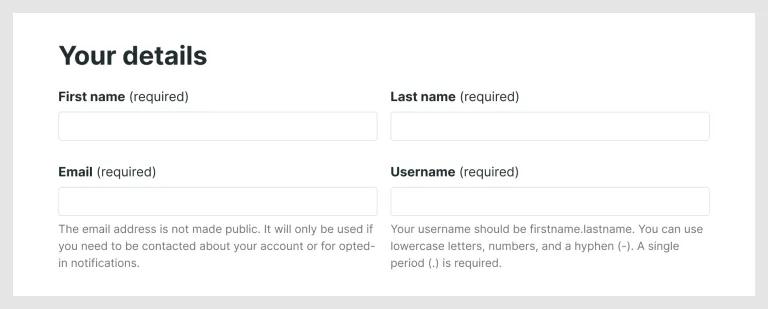
The user experience is important, and so the login form should be nicely designed. Care should be taken in field ordering and styling. Some form tweaks may be required to have the registration look as good as possible. In general, fields should be optional as far as possible to ensure an easy sign-up process. You will probably want to restrict the format of the username, eg. firstname.lastname. This validation can be done client-side and server-side. Finally, you may also wish to restrict signup to certain domains. This can also be done server-side.
User page
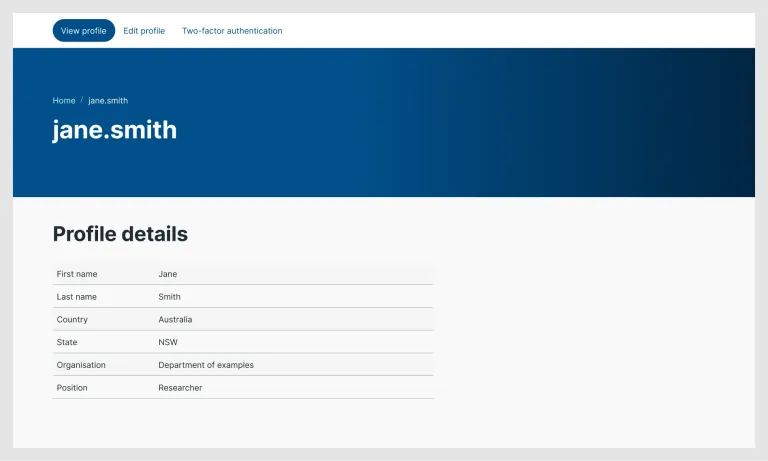
When a user logs in, they will be presented with their user page. This page is probably the most neglected page in most Drupal sites, as it is usually only seen by internal users such as editors. In this case, external users are seeing it. The page can be improved by providing a proper layout for it (Layout builder) so that fields and views can be used to make the page as relevant as possible. You may wish to display basic user properties or information relevant to that user.
Contact module
GovCMS ships with the Contact module. It will be in Drupal core for Drupal 11, but it is slated for removal in Drupal 12. For now, we can make use of its ability to provide a contact form for users of the site. This allows users to opt into being contactable by other users in the system. If you are building a community where there is trust between the users, then this is a great option to improve the community vibe. However, if there is a chance that the tool may be abused, it is best not to enable this feature.
Poor man’s content protection
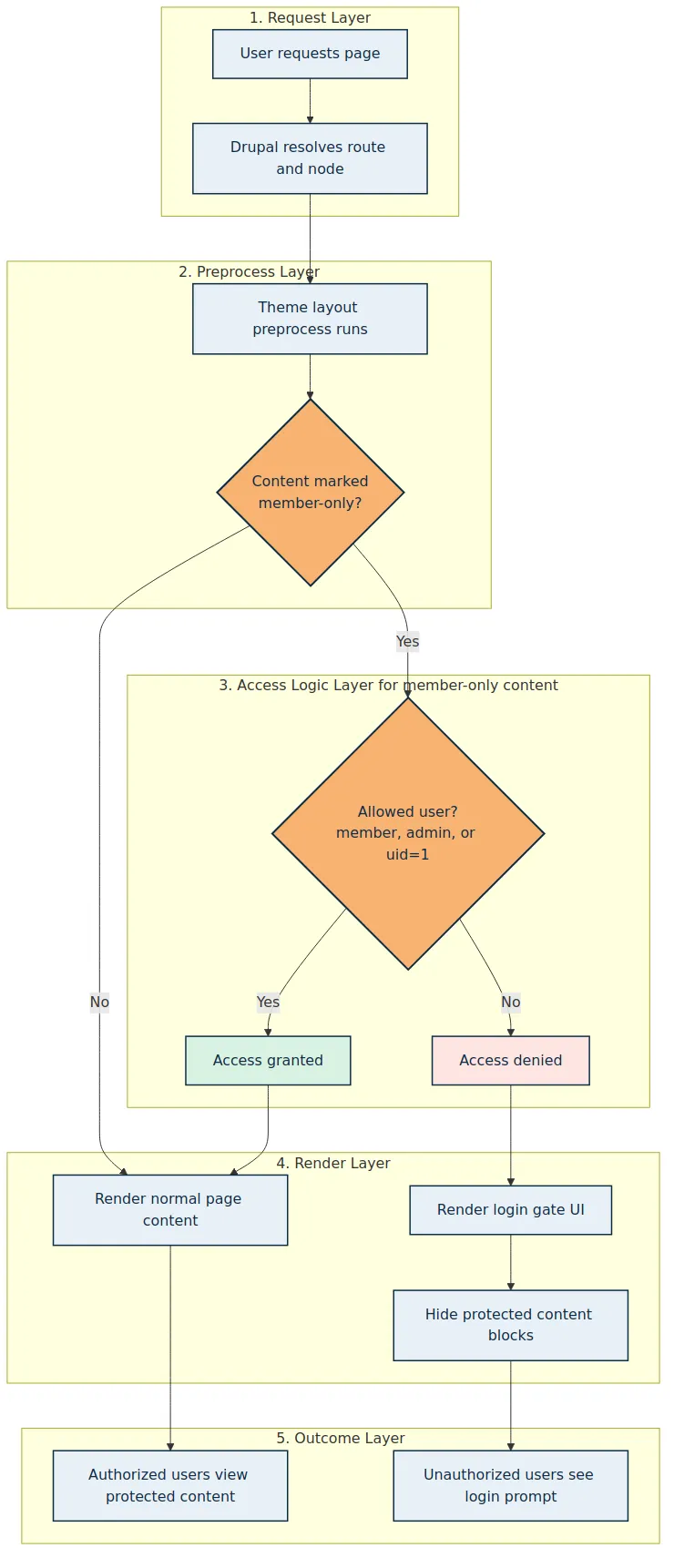
You may have noticed that, to this point, there has been no discussion of how the content is being protected. The default setup in Drupal is for all content to be open to users. That is a basic requirement that we must deal with. In the proposed setup, users of all roles will be able to access the content in the first instance. It then becomes a matter of determining what they will see. This can be done via a combination of theme level modifications to hide content, display login forms and perhaps redirect users if they do not have sufficient permissions.
Soft love: Displaying a login screen and hiding content
In this implementation, the change is made in the layout preprocess. THEME_preprocess_layout() checks whether the current node is marked as member-only and the layout templates replace the protected content area with a login form and registration prompt when the user does not have access. This approach has the advantage of being able to tease the user with some introductory content (title and intro), encouraging them to log in or indeed register to gain access to the site. This approach helps build community.
Tough love: Issuing a 403
In GoVCMS SaaS, changes are usually made in the theme layer. Generally, this means working with entities at render time. However, it is possible to add code into the HTML preprocessor. This code runs very early in the page lifecycle, and so it is possible to detect whether a user has the correct permissions. The general logic is as follows:
- Load the user
- Load the node
- Check that the user has sufficient access
- If not, 403
It is possible to tell Symfony at this early stage that a 403 needs to be issued. The response can be made in time before any response has been streamed back to the user.
Really tough love: Managing private files
Drupal supports the concept of private files - files that are not available directly through the web server. PHP runs before the file is streamed, and this is where Drupal can do some basic accessibility checks. Thankfully, Drupal can do some basic checks, such as checking the access to the parent object for the file.
In the case of Media Files, this means checking the Media. In the case of Nodes, this means checking the Node. Unfortunately, both of these entities are available to the public, meaning that the private file will still be available to anonymous users. Close but no cigar. How can we protect those files from anonymous users?
One clever workaround we managed to find at Morpht was to use the Paragraph Permissions module to control access to individual paragraphs, and by extension, Private Files connected to the paragraph. A special “Protected Content” paragraph bundle can be deployed to hold the private file. Drupal will then check to see whether the user has access to the Paragraph. As access to the paragraph can be restricted to Members, it is possible to control access to Private files. This, therefore, opens the way to add some extra security around files as well as content.
Keeping it tight
Depending on your content needs, there are a number of other things you need to do for good hygiene. Protected content should
- Not be indexed in the site-wide search index
- Be No index, should a bot ever find it.
- Hidden from the sitemap as well.
The overall experience
Finally, care should be taken to ensure that user flows have been optimised. Anonymous users should be aware that they can register for the site to gain access to extra content. This is easily achieved with a block scoped to anonymous users. The login and register links from the user block should also be prominently displayed in the UI, generally in the top right-hand side of the page.
The entire user flow should be checked:
Journey: Strong intent
- See the CTA
- Read about the membership
- Register
- Get a register email with a welcome message
- Land on the user page with relevant information
- Links to protected content should be clear.
Journey: Upsell (soft love)
- Navigate to a node on the site
- See some introductory content with a CTA block encouraging signup
- Register
- Get a register email with a welcome message
- Land on the user page with relevant information
- Links to protected content should be clear.
It works!
Morpht has implemented the above recipe, with various tweaks for a number of clients now. We have managed to open up the SaaS platform to enable:
- School teachers to share action plans (soft love)
- Private materials to be shared with government employees (tough love)
- Industry practitioners share expertise (Private materials to be shared with government employees (really tough love))
This approach has been a win for the clients involved. It has opened the way for GovCMS SaaS to extend beyond the typical CMS domain to support communities with simple needs. This has the potential to improve the offerings to government agencies whilst avoiding the need to step up to a PaaS environment.